

Algebra Solver: Algebra Solver & Calculator
Every math problem, solved step by step.
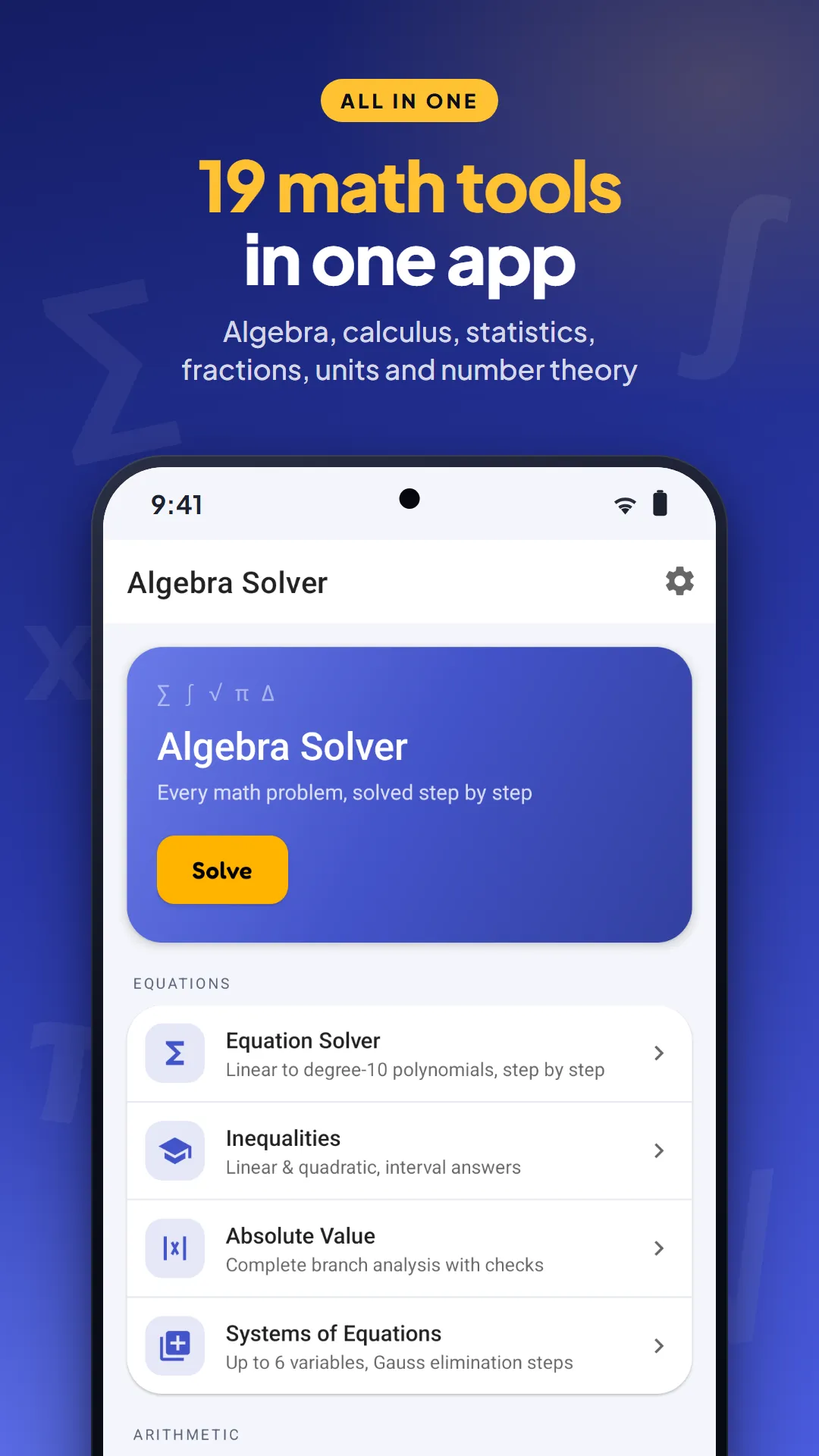
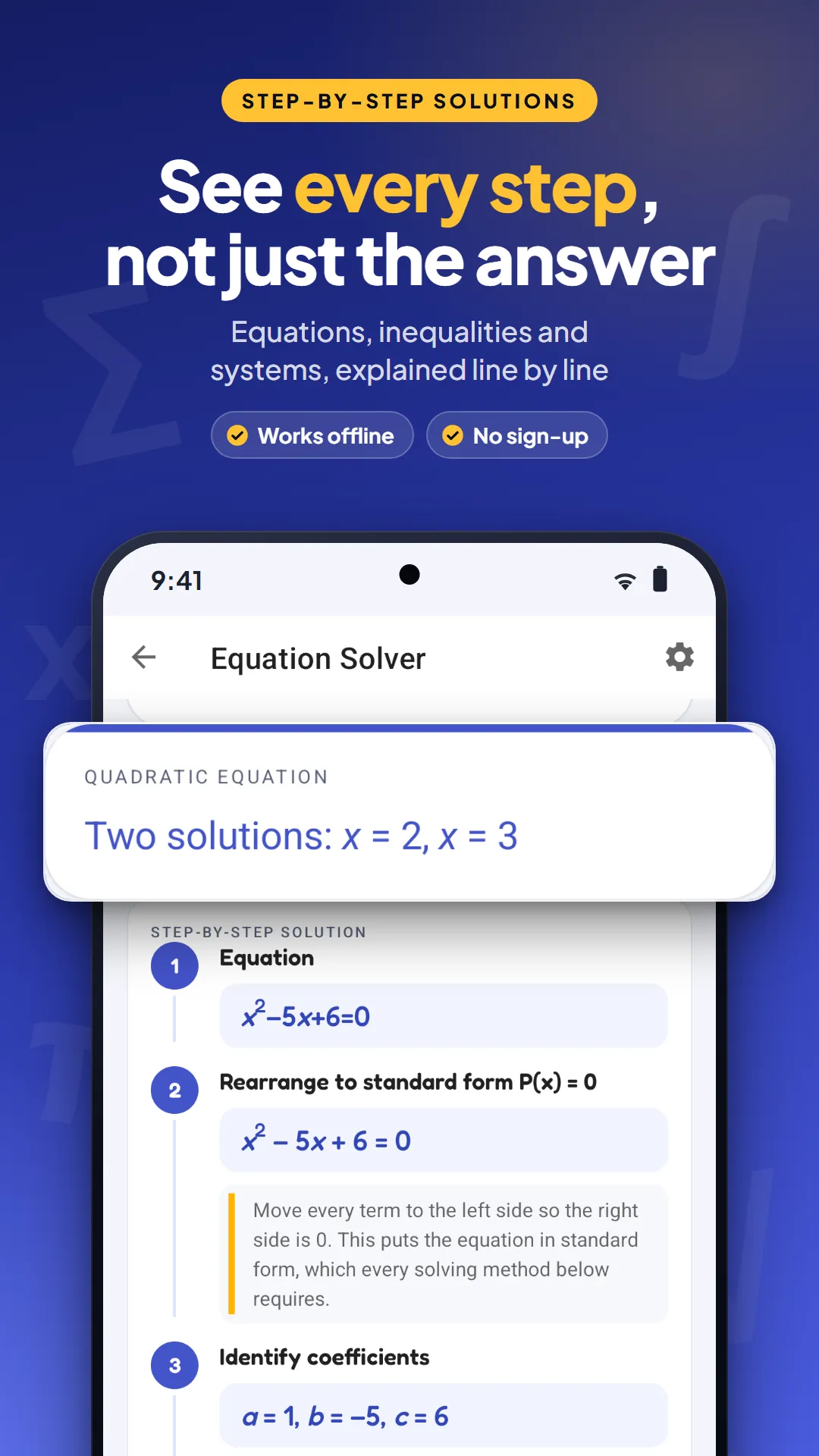
Type a problem, press Solve, and read the working one line at a time, the way a teacher writes it on the board. There are 19 tools, they run on your phone, and none needs an account or a connection.
- 19 math tools
- Steps for every answer
- Offline no account needed
Also on the web: freealgebrasolver.com
- Full name
- Algebra Solver & Calculator
- Category
- Education
- Price
- Free
- Package
- com.
mathsSolver. algebraSolver
Screenshots
Real screens from Algebra Solver on Google Play. Tap any one to see it full size.
On tablets
What Algebra Solver does
Step-by-step equation solver, scientific calculator, fraction and unit converter.
Equations and algebra
Solve linear and quadratic equations up to degree-10 polynomials, inequalities on a number line, systems of up to 6 variables with Gaussian elimination, and simplify or factor any expression.
Exact scientific calculator
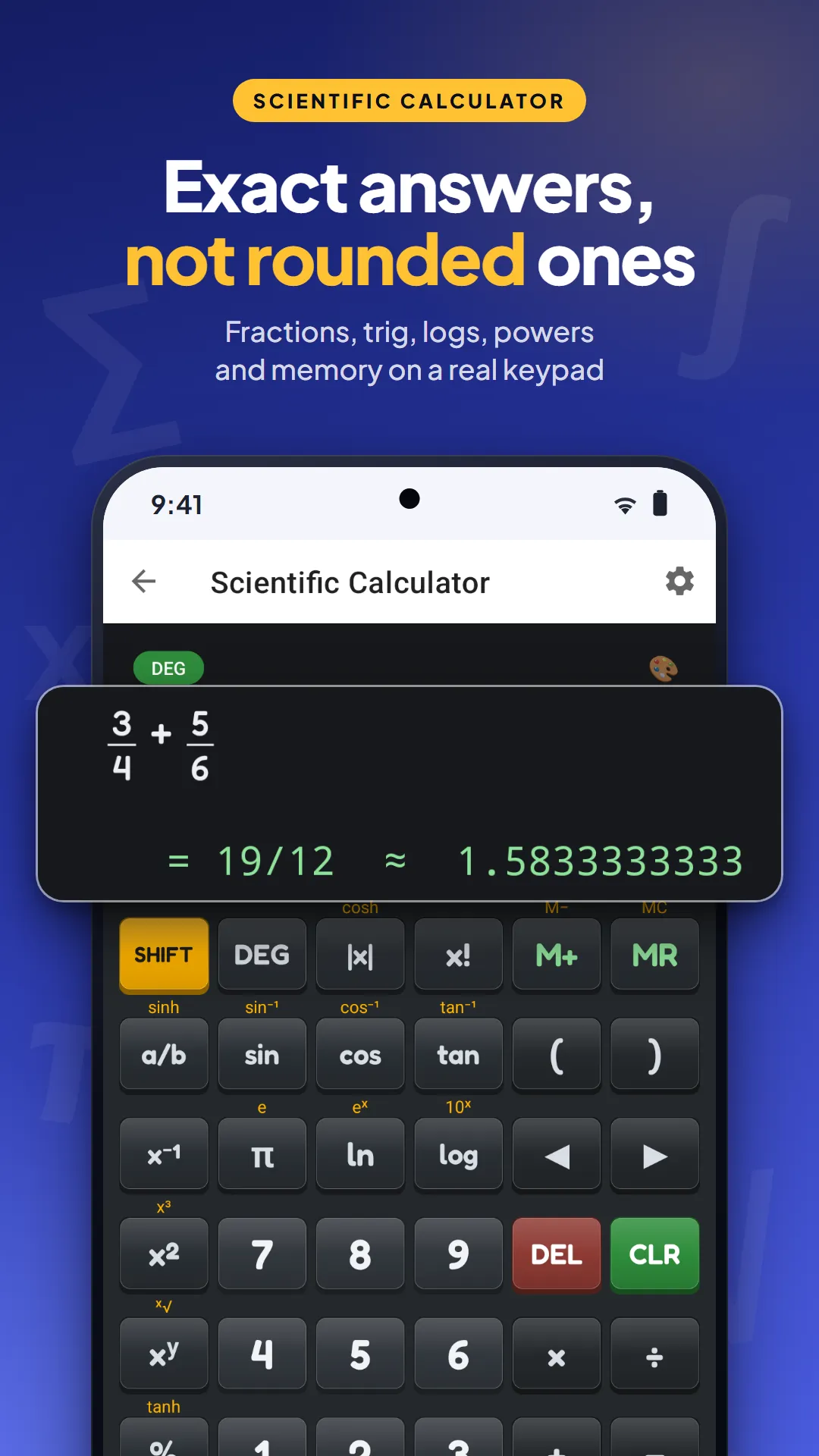
Works with exact fractions instead of rounding, so 0.75 stays 3/4. Includes trig, logs, roots, powers and variables, with 8 colour themes.
Graphs and calculus
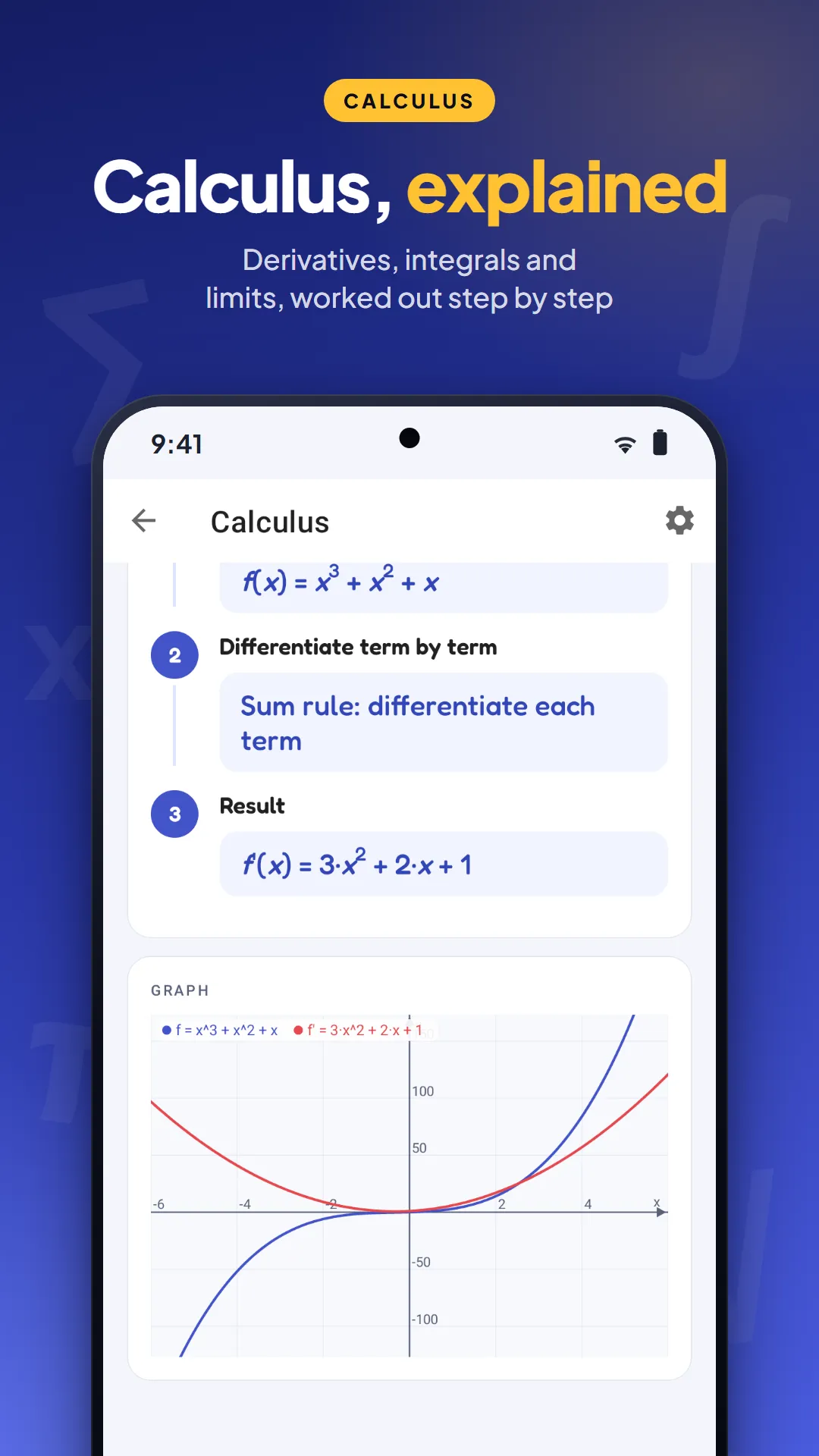
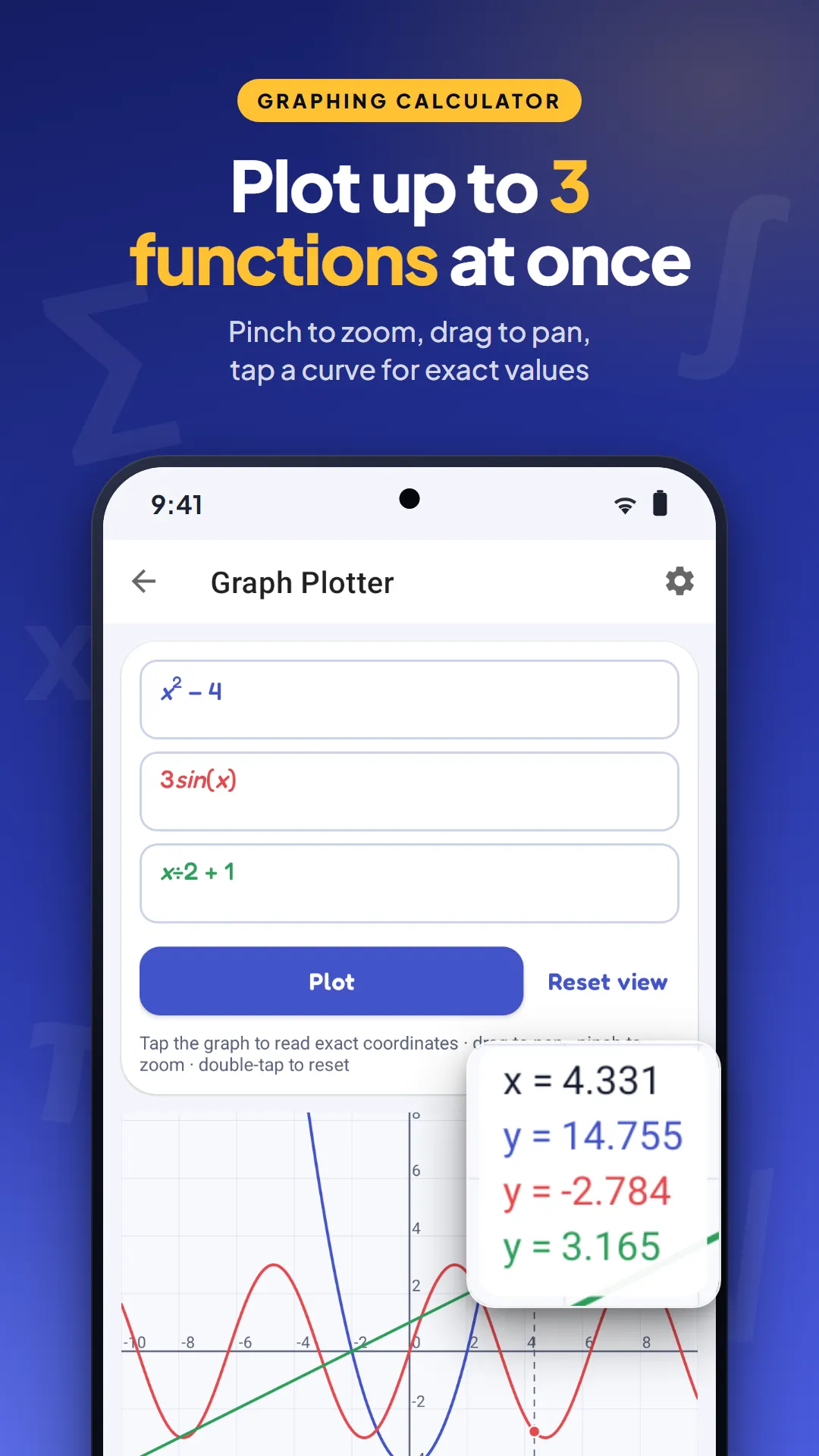
Plot up to 3 functions, pinch to zoom and tap to read coordinates. Derivatives, integrals and limits are shown step by step. The matrix tool gives determinant, inverse, rank and Ax = b.
Fractions, ratios and units
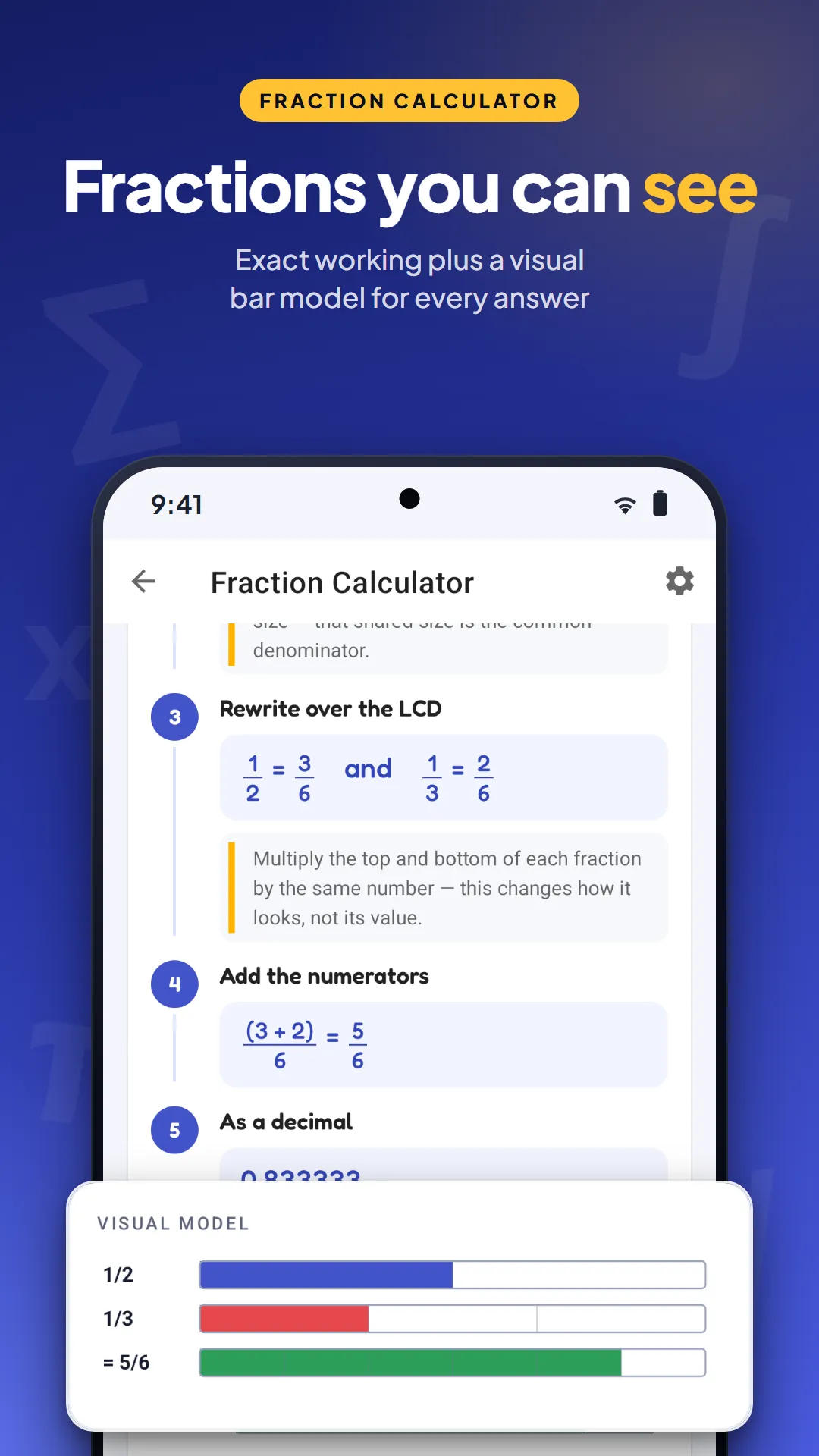
A fraction calculator with visual bar models, a ratio and proportion solver, and a unit converter for length, mass, temperature, speed, data, energy and more.
Numbers and patterns
LCM and GCD with the Euclidean algorithm written out, prime factorization, base conversion, modular arithmetic, sequences and statistics with histograms and box plots.
Made for learning
A math keyboard, a history of every problem you have solved, light and dark themes, and full TalkBack support so blind and low-vision students hear equations, steps and graphs read aloud.
Algebra Solver on the web
More about Algebra Solver, on its own website.

About Algebra Solver
Algebra Solver & Calculator is a math app for Android that solves a problem and then shows how it was solved, one line at a time, the way a teacher writes the working on the board. It brings 19 math tools into one app: an equation solver, an exact scientific calculator, graphs and calculus, matrices, fractions, ratios, unit conversion and number theory. It is built for students checking homework, for parents and tutors explaining a method, and for anyone who wants to see the reasoning behind an answer rather than the answer alone. All of the math runs on the phone, and no account is needed.
How it works in daily use
You type a problem with the built-in math keyboard, press Solve, and read the result together with each step that led to it. Every tool explains its working line by line. If you only want the answer, you can switch the explanations off in Settings.
Because the calculations happen on the device, there is no waiting for a server, and the tools keep working without a connection. The app keeps a history of every problem you have solved, so you can return to an earlier question and its working later. Light and dark themes are available, and the scientific calculator has 8 colour themes of its own.
Main capabilities
The 19 tools fall into a few groups.
The solver
- Equations: linear and quadratic equations, and polynomials up to degree 10.
- Inequalities: solved and shown on a number line.
- Systems of equations: up to 6 variables, solved with Gaussian elimination.
- Expressions: simplify or factor an expression.
The calculator
The scientific calculator works with exact fractions instead of rounding, so 0.75 stays 3/4. It includes trigonometry, logarithms, roots, powers and variables.
Graphs, calculus and matrices
- Graphs: plot up to 3 functions at once, pinch to zoom, and tap a point to read its coordinates.
- Calculus: derivatives, integrals and limits, each shown step by step.
- Matrices: determinant, inverse, rank, and solving Ax = b.
Fractions, ratios and units
- A fraction calculator with visual bar models.
- A ratio and proportion solver.
- A unit converter for length, mass, temperature, speed, data, energy and more.
Numbers and patterns
- LCM and GCD, with the Euclidean algorithm written out.
- Prime factorization and base conversion.
- Modular arithmetic and sequences.
- Statistics, with histograms and box plots.
Accessibility
The whole app supports Android TalkBack. Equations, steps and graphs are read aloud, so blind and low-vision students can follow the same working as everyone else. TalkBack runs on the device as part of Android, and the app sends nothing to Entherion when it is in use.
Privacy and data handling
The app's privacy policy describes data handling in plain terms:
- Your math stays on your phone. Every equation, calculation and graph is worked out on the device. Entherion never receives the problems you type or your history.
- Local storage only. Your history and your settings, such as theme, calculator colour theme and whether steps are shown, are saved in the app's private storage. They leave the device only if you copy or share a result yourself.
- No account. The app does not ask for a name, email address or phone number.
- No analytics and no crash reporting. The app contains no analytics or crash-reporting SDKs.
- Ads from Google AdMob. The app is free and supported by ads. To show and measure ads, the AdMob SDK may process information such as the device's advertising ID, IP address, device type and general ad-interaction data, under Google's own privacy policy. In the EEA, the UK and other regions where consent is required, the Google consent form appears before ads are personalised, and you can choose personalised or non-personalised ads.
The app requests only internet and network state permissions, used only to load ads, and the advertising ID permission used by AdMob. It does not request access to location, contacts, camera, microphone, storage, phone or SMS. Uninstalling the app removes its data from the phone.
On the web
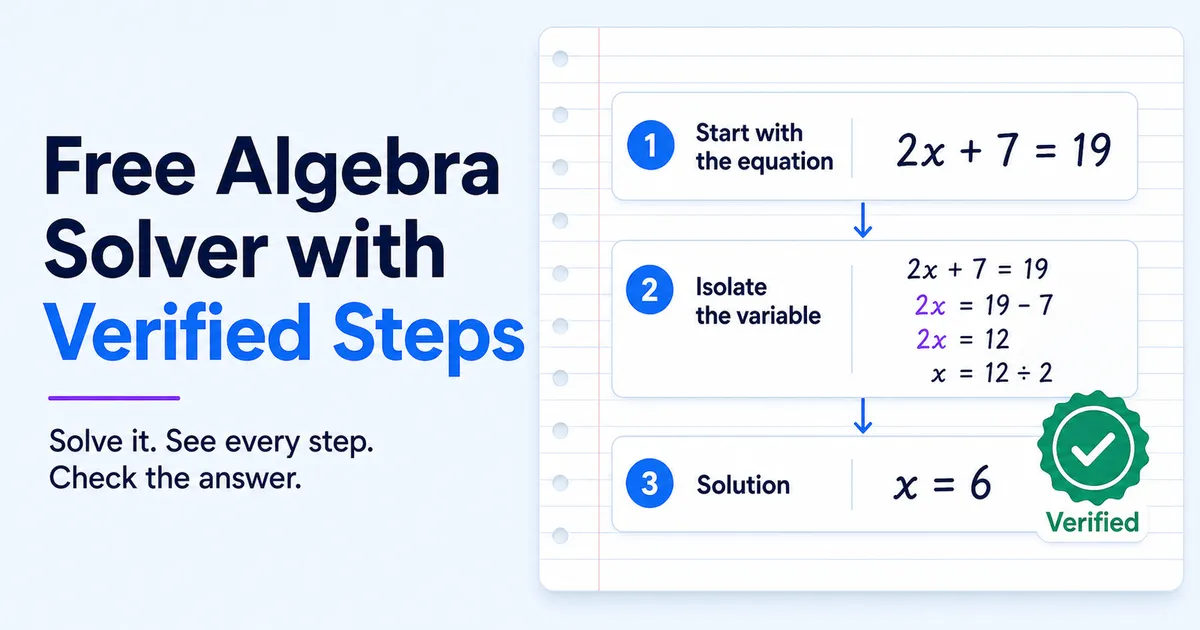
Free Algebra Solver is a free algebra website with 38 calculators, grouped into equations and inequalities, quadratics and graphs, polynomials, expressions, and numbers and fractions. Each calculator shows its working and checks the answer, and the core calculators need no account.
Good starting points are the algebra solver, the quadratic equation solver, the fraction calculator and the full list of calculators.
The site's methodology page explains how answers are produced. Each step is tied to a named algebra rule, exact fractions and radicals are kept where possible, and answers are checked by substitution or by comparing coefficients. Results are labelled as verified, equivalent or needing review, and problems outside the supported scope stop with a message rather than a guessed answer. The website has its own scope, which is narrower than the app's: it does not cover calculus, geometry or statistics. It also works differently from the app: according to its about page, algebra input is sent to the website's server to produce a result.
Get the app
Algebra Solver & Calculator is free on Google Play for Android phones and tablets. Install it, type a problem and press Solve.
Questions
More answers live on the Algebra Solver help page.
Does Algebra Solver show the steps?
Yes. Every tool explains its working line by line. If you only want the answer, you can switch the explanations off in Settings.
Does it work offline?
Yes. All the math runs on your phone, with no account and no waiting for a server.
What kinds of problems can it solve?
Equations up to degree 10, inequalities, systems of equations, fractions, ratios, unit conversions, graphs, derivatives, integrals, limits, matrices, primes, GCD and LCM, sequences and statistics.
Is it accessible with a screen reader?
Yes. The whole app supports Android TalkBack, including equations, steps and graphs.
Is Algebra Solver free?
Yes. It is free and supported by ads.
